Understanding Network Devices

I believe writing makes learning easier so I share simple Tech notes with diagrams
Introduction -
When we say the internet, sometime it feels abstract clouds, signals, maybe even a bit of magic. But in reality the internet reaches your home or office through very real physical devices each with a clear responsibility. These devices quietly work together every time a website loads or an app makes a network request. Before a page appears on your screen, data passes through multiple checkpoints. At a high level, the flow usually looks like this:
Internet → Modem → Router → Switch → Your device
Along the way, security devices and traffic managers may also be involved. Understanding these devices is important not just for network engineers, but also for software and backend engineers who build systems that depend on networking every day. Each device exists to solve a specific problem, and understanding why it exists is far more useful than memorizing definitions.
Let us walk through these devices one by one and see how they work together in the real world.

What is a Modem and how it connects your network to the internet ?
A modem is the device that actually connects your network to your Internet Service Provider (ISP). Your ISP sends internet signals over:
Fiber
Cable
DSL
Mobile networks
These signals are not in a form your computer understands directly. Now what exactly does modem do is converts ISP signals into digital data and converts digital data back into ISP signals when sending data out. Think of the modem as a translator between your ISP’s language and your home network’s language. Without a modem your network is completely isolated from the internet.
What is a Router and how it directs traffic ?
Once internet enters your network then the router is the one who distributed and manages the internet. The router connects multiple devices to one internet connection, assigns private IP addresses to devices which are connected and decides where outgoing and incoming traffic should go. As to understand we can see it as A router is like a traffic police officer:
It sees where data packets are coming from
It knows where they need to go
It keeps traffic flowing correctly
The difference between modem and router is that Modem connects you to the internet but Router manages traffic inside your network. Many home devices combine both, but logically they are different roles.
Switch vs Hub: how local networks actually work ?
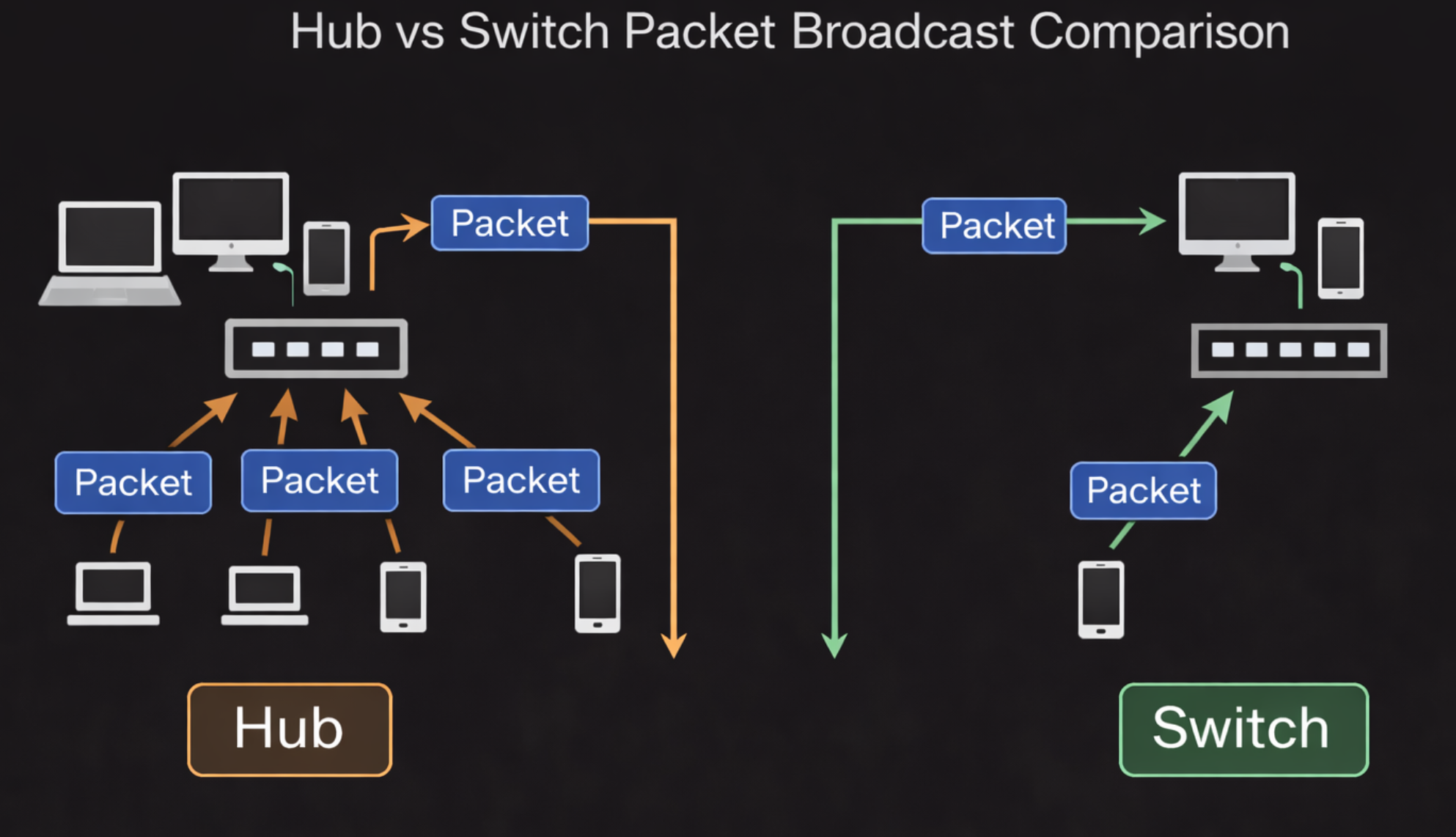
Inside a local network (LAN) devices need to talk to each other. Here is where hubs and switches come in. Hubs are mostly like to outdated but Switches are what real networks use. Hub (old and inefficient) :
Broadcasts data to all connected devices
Every device checks if the data is meant for it
Causes collisions and noise
Switch (modern and efficient):
Sends data only to the intended device
Learns which device is on which port
Much faster and safer
As to understand easily we can say it as Hub —> someone shouting in a room so everyone hears & Switch —> handing a letter directly to the correct person.
What Is a Firewall and Why Security Lives Here ?
A firewall controls what traffic is allowed in and out of a network. Firewalls can be Hardware devices, Software based and Cloud managed. But what it does is to blocks unwanted or malicious traffic, alllows only approved ports, IPs, and protocols and enforces security rules. To understand we can say it as a firewall is a security gate which guards the entrance as well as checks IDs and decides who can enter and who cannot. For backend systems firewalls are regularly the first security layer protecting services.

What Is a Load Balancer and Why Scalable Systems Need It ?
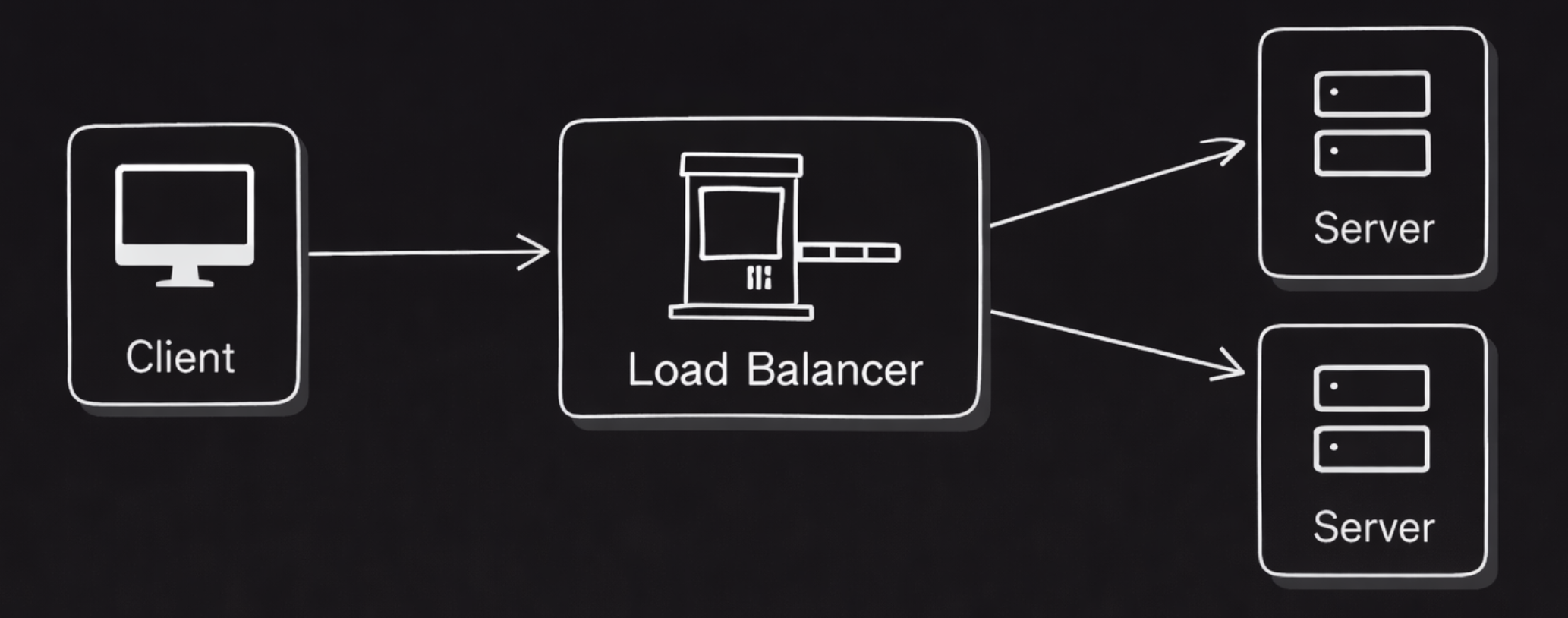
When one server is not enough then traffic must be shared where a load balancer helps us. It actually distributes incoming requests across multiple servers, prevents one server from getting overloaded and mproves availability and performance. Imagine A load balancer is like a toll booth with multiple lanes the cars are directed to the least busy lane as the traffic keeps moving smoothly.
Why software engineers should care -
Most production systems use load balancers are Web servers, APIs and Microservices. You don’t scale applications without them.
How all these devices work together in a real world Setup -
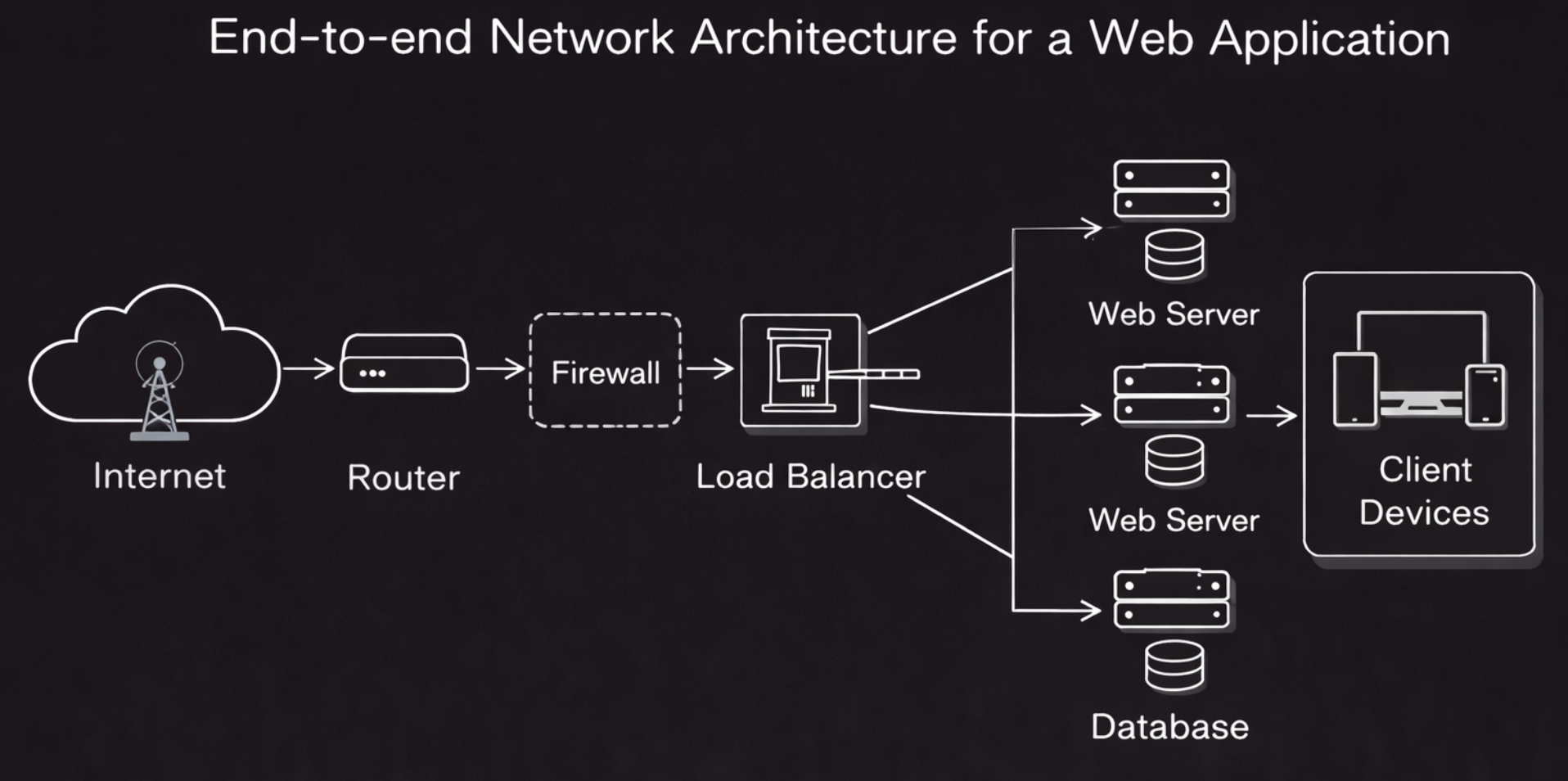
let us connect everything were the flow looks like this:
Internet signal enters through the modem
Router manages traffic and assigns IPs
Switch connects multiple internal devices
Firewall filters traffic for security
Load balancer distributes traffic to backend servers
Each device does one job well and together they form a reliable system. This same model exists at different scales:
Home networks
Office networks
Data centers
Cloud infrastructure
Conclusion -
Network devices are not random boxes with blinking lights. Each one exists to solve a specific networking problem:
Modem connects you to the internet
Router directs traffic
Switch manages local communication
Firewall protects your network
Load balancer enables scale
Once you understand their roles networking stops feeling mysterious and starts feeling logical and structured. And that understanding carries directly into real world backend systems and production deployments.


